


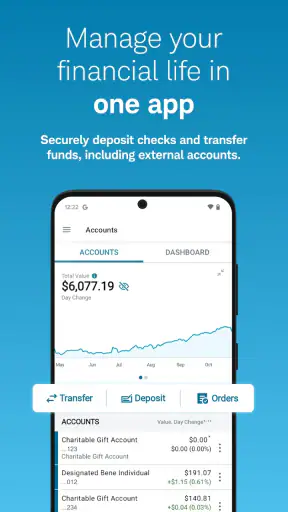
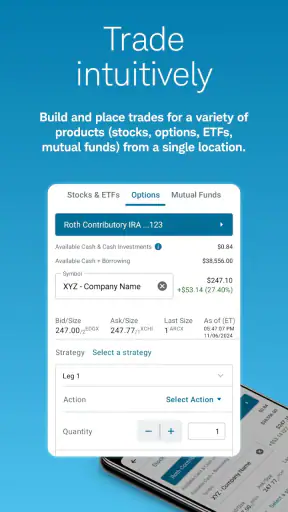
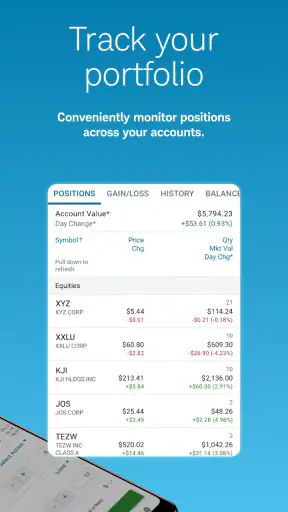
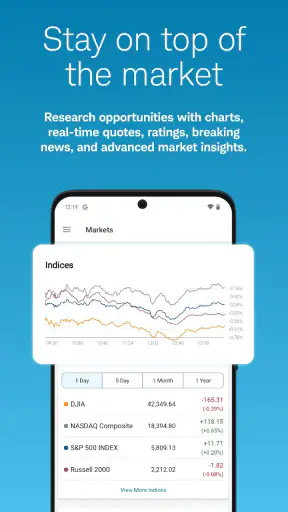
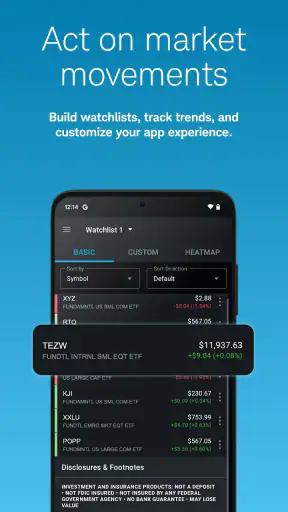
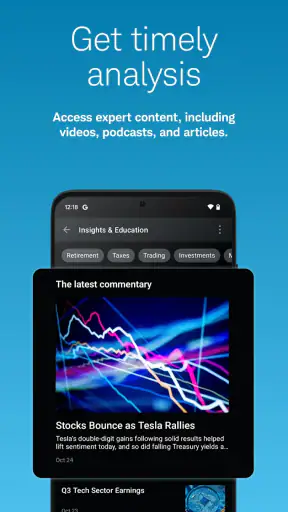

I look at a finance app differently from a social or entertainment app. It has to make everyday money tasks feel manageable without encouraging rushed decisions, and it needs to put useful information close enough to the action that I do not have to jump between several services. That is the main reason Schwab Mobile caught my attention. Developed by The Charles Schwab Corporation, it brings investing, research, banking, and trading into one mobile experience rather than treating them as completely separate jobs.
My overall impression is that it is best understood as a companion for people who already want a relationship with a full-service financial provider, not as a simple budgeting tool or a casual stock-watching app. It is free to download and has an Everyone age rating, but the decisions made inside it can still be serious. I would recommend approaching it as a practical control panel for your financial accounts, with enough research and trading capability to support active decisions, while remembering that a phone screen is not always the ideal place for complicated analysis.
The app has been available since May 25, 2011, which helps explain why it feels like an established mobile part of a broader financial service rather than a newly launched experiment. Its current store presence shows over five million installs, an average rating of 3.1 from roughly twenty-nine thousand ratings, and around thirteen thousand written reviews. Those figures suggest a large and varied user base, but also a mixed experience. I would not install it solely because it is popular; I would choose it because its combined approach matches the way I want to manage money.
How I Would Decide Whether Schwab Mobile Fits
Start with the kind of financial work you actually do
The first question is not whether the app has a long feature list. It is whether you need one place to check accounts, investigate investments, handle banking activity, and place trades. If your main goal is to record spending, divide a household budget, or monitor several unrelated financial institutions, a dedicated budgeting application may be a better starting point. Schwab Mobile is aimed more directly at people whose financial life includes investing and brokerage activity.
I would also separate occasional investors from people who make decisions frequently. An occasional investor may value the convenience of checking a portfolio and researching an idea without opening a desktop browser. A more active user may care about how quickly information can be reviewed, how clearly orders are presented, and whether the mobile workflow encourages careful confirmation. The app can support that kind of routine, but I would still reserve a larger screen for decisions that require comparing many details at once.
Another useful test is whether you prefer consolidation over specialization. Some financial apps do one job exceptionally clearly: a spending tracker focuses on categories, a savings app focuses on goals, and a specialist investing app may emphasize a particular style of trading. Schwab Mobile takes a wider route. That breadth can reduce app switching, but it also means the experience is designed around several types of users rather than one narrow task.
What I would check before moving my daily routine
Before relying on it, I would spend time identifying the actions I expect to perform most often. For me, that would include checking balances, reviewing account activity, looking into an investment, and deciding whether a trade deserves further attention. I would not begin by exploring every screen. I would first see whether the path from opening the app to completing those ordinary tasks feels clear and calm.
I would also consider how much information I need before taking action. A quick glance is useful when I am confirming whether money arrived or whether an account changed. It is less useful when I am evaluating a complicated investment idea. The app's research and trading focus makes it more capable than a basic account viewer, but capability does not remove the need for judgment. I prefer to use the phone for monitoring and straightforward actions, then move to a more spacious setup when the decision has several moving parts.
Security and attention are part of the decision too, even without turning the app into a technical checklist. A finance app lives on a personal device, so I would use the device's available protection and avoid making impulsive trades simply because a market move appears on screen. The most important habit is to treat notifications, price changes, and account updates as prompts to review—not automatic reasons to act.
Where the all-in-one design genuinely helps
The strongest idea here is consolidation. When banking and investing are handled through one mobile destination, I can think about cash and investments in the same session instead of reconstructing the picture from several unrelated apps. That is especially useful when I am deciding whether available cash should remain accessible for ordinary expenses or be considered for an investment decision.
Research being close to account and trading functions can also shorten the distance between learning and acting. That is convenient, but I see it as a trade-off rather than an unconditional benefit. The shorter path can save time when I have already done my homework. It can also make a rushed decision feel easier than it should. My preferred workflow is to research first, pause, review the intended action, and only then use the trading part of the app.
For someone who wants a single place to keep an eye on multiple aspects of a financial relationship, this is more practical than maintaining separate banking, brokerage, and market-information routines. The value is not just having many functions; it is the reduced friction between them. That advantage matters most to users who already think of their money as one connected plan rather than a collection of isolated accounts.
A realistic everyday scenario
Imagine I am checking my finances during a lunch break. I open the app to confirm a recent banking transaction, notice how much cash is available, and then review an investment I have been following. Instead of opening a separate banking app, a market app, and a brokerage website, I can keep the review in one session. If the investment still interests me, I can continue researching rather than immediately placing an order. That last pause is important: convenience should simplify the process, not replace a decision.
In another situation, I might be away from my computer and need to monitor an account after transferring money or reviewing a portfolio change. A mobile application is naturally better suited to that quick check than a desktop-only service. The benefit is not that I can do everything comfortably from a small screen. It is that I can stay connected to the accounts and information I care about when a computer is not nearby.
Where the experience may feel less comfortable
The same broad scope that makes the app useful can make it feel busy. Banking, research, investing, and trading each have different priorities. A person who only wants a clean balance view may find the investment-oriented parts unnecessary. Conversely, someone who wants a highly specialized trading workspace may prefer an interface built around detailed market analysis rather than a wider financial relationship.
I would also be cautious about judging the app only by the speed of a screen or the number of available actions. Financial workflows benefit from deliberate confirmation. If I am tired, distracted, or reacting to a sudden market move, a mobile interface can encourage me to do something before I have fully considered it. My practical solution is to use it for review and routine management, and to create a personal rule that complex or emotionally charged trades wait until I can examine them more carefully.
The mixed average rating is worth treating as a signal to test the current experience for yourself rather than as a final verdict. A rating around 3.1, alongside a substantial volume of feedback, tells me that the app works well for some users and frustrates others. That is common with finance products because expectations differ sharply: one user may want convenience across accounts, while another may judge the app almost entirely as a trading tool.
Who should consider it, and who should skip it
I think Schwab Mobile is a strong candidate for an investor who wants banking, account monitoring, research, and trading gathered into one app. It also makes sense for an existing Schwab customer who wants mobile access rather than depending on a desktop browser. The free price removes a direct download-cost barrier, so the real question is whether the workflow fits your financial habits.
I would be less likely to recommend it to someone seeking only expense tracking, shared household budgeting, or a simple savings-goal experience. Those users may get a clearer result from an app designed around spending and planning rather than investing. I would also suggest caution for beginners who are tempted by the presence of research and trading tools but have not yet developed a basic investment plan. Access is not the same as readiness.
Finally, a person who wants a highly focused, specialist trading environment may prefer an alternative category of app. I cannot fairly claim that another service is better without knowing the exact workflow, but the trade-off is clear: a specialist tool may feel more direct for one activity, while Schwab Mobile is more valuable when several financial activities need to coexist.
Switching from another app: what changes in practice
Moving from a separate banking app and brokerage app to one combined experience can simplify daily checking, but it also changes where you expect information to appear. I would not switch everything on the first day. I would install the app, sign in through the normal account process, and map the screens I need for balances, activity, research, and trading. That short orientation period can reveal whether consolidation actually saves time for me.
The biggest adjustment is mental rather than technical. In a single-purpose app, the next action is usually obvious. In a combined finance app, I need to distinguish between checking information, researching an idea, and taking an irreversible or consequential action. I would keep those stages separate, even if the app places them near one another. That habit is more valuable than learning every menu immediately.
I would also keep my existing routine available until I am comfortable. If I normally review statements or investment information on a larger screen, I would continue doing that while using the mobile app for quick checks. This avoids turning a switch into a stressful all-or-nothing change. The best mobile companion is one that fits into a reliable process, not one that forces every financial decision onto a phone.
My recommendation after weighing the trade-offs
My recommendation is positive, with a clear condition: choose Schwab Mobile if you want a broad financial control center and are comfortable managing investing and banking tasks in the same place. The app's free availability, long presence in the finance category, and large install base make it easy to try, while its mixed rating reminds me to evaluate the actual workflow rather than assume it will suit everyone.
I would recommend starting with low-risk, familiar tasks: checking account activity, reviewing balances, and exploring the research area without placing a trade. Once the layout feels natural, I would decide whether the mobile trading workflow is appropriate for my own habits. That staged approach helps answer the questions that matter most: Can I find what I need quickly? Do I understand what I am about to do? Does combining these activities make my routine simpler or merely busier?
For me, the app's best use is as a dependable mobile connection to a wider financial relationship, not as a substitute for thoughtful planning. It can save time by bringing investing, research, banking, and trading together, and it is especially convenient when I need to check something away from a computer. Its limitations appear when a broad interface feels crowded or when a small screen encourages hurried decisions.
If your priority is one practical place for Schwab-related financial tasks, I would give Schwab Mobile a try. If your priority is budgeting, a minimalist money dashboard, or an intensely specialized trading workspace, I would look at those alternative categories first. The right choice depends less on the app's promise to do many things and more on whether those are the things you genuinely need to do each week.
In short, Schwab Mobile earns its place through convenience and range, but it rewards users who bring their own discipline. I would use it to stay informed, organize routine account checks, and prepare decisions carefully. I would not let the ease of reaching a trade become a reason to trade more often. Used with that boundary, it is a useful finance app for people who want their banking and investing lives closer together.


